Login Info for System Managers
- We have created an account for all System Managers, so all you should need to do is setup a password
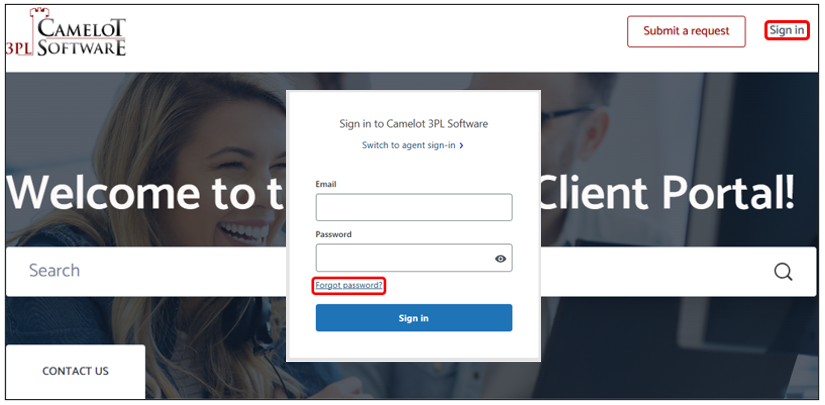
- Select Sign in in the upper right-hand corner and then select Forgot password?:
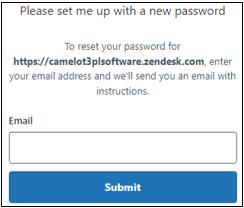
- Enter your Email in the window that opens and select Submit:
- You will receive an email stating that an account already exists, asking you to set a new password
- Check your spam/junk folders for the email if you did not receive the email right away
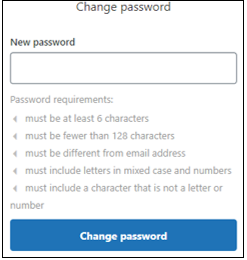
- Select the link in the email, enter a New password, and then select Change password:
Updated